
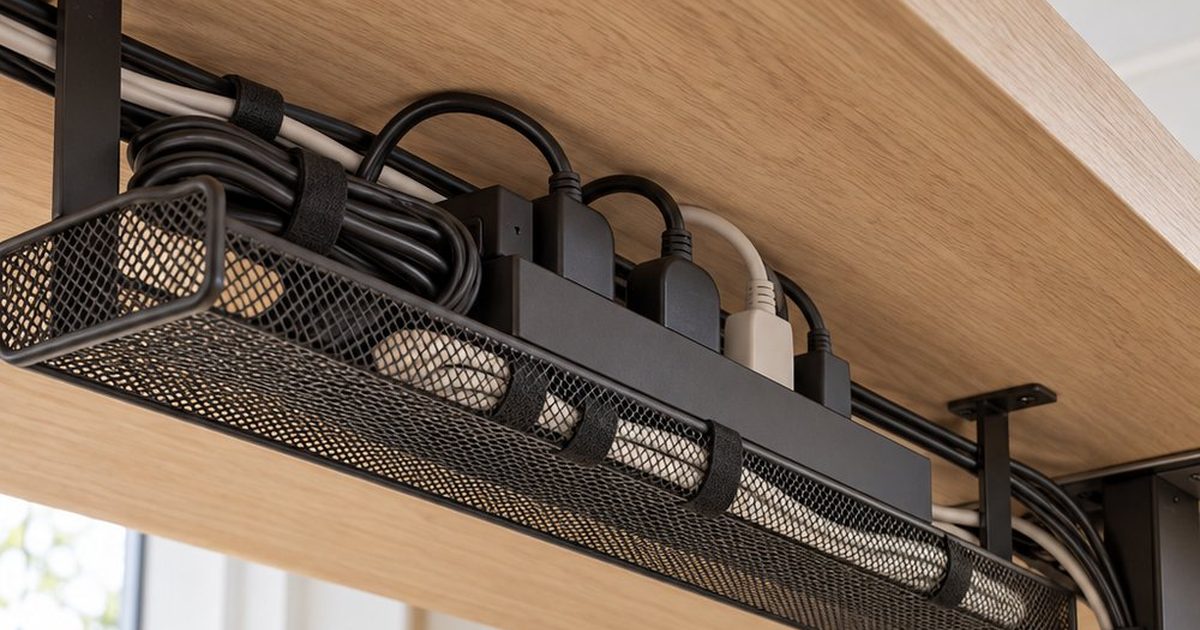
Best Under-Desk Cable Trays (Including No-Drill Options)
An under-desk cable tray is the single biggest upgrade for a messy desk: it lifts the power strip and all the charger bricks off the floor, so only one cable runs down to the wall. The tricky part is choosing one that actually fits your desk. Here are well-reviewed options for every setup — clamp-on, adhesive and screw-mount — plus what to check before you buy.
This post contains affiliate links. If you buy through them, we may earn a small commission at no extra cost to you. Learn more.
Quick picks
Comparison
| Tray | Mount | Best for | |
|---|---|---|---|
| Scanfield No-Screw Cable Tray (2-pack) | Adhesive | Most desks, especially if you don’t want to drill | Check price |
| No-Drill Metal Mesh Tray with Clamps | Clamp | Renters and anyone who can’t drill | Check price |
| Compact 13.4″ Metal Cord Organizer | Clamp or screw | Small desks and short power strips | Check price |
| Univivi No-Drill Tray (36″) | Clamp | Wide desks with lots of devices | Check price |
| VIVO Low-Profile Tray (17″) | Screw | A permanent, slim install | Check price |
| Extendable No-Drill Cable Tray | Clamp | Desks with an unusual width | Check price |
| Flexible Under-Desk Cable Net | Mounting kit | Light loads and odd desk shapes | Check price |
| EVEO J-Channel Cable Raceway (6-pack) | Adhesive | Routing cables along the desk | Check price |
The best under-desk cable trays
Scanfield No-Screw Cable Tray (2-pack)
Best for: Most desks, especially if you don’t want to drill · Mount: Adhesive
One of the most-reviewed under-desk trays on Amazon. It sticks to the underside of the desk instead of screwing in, and the 2-pack lets you cover a longer desk or split power and chargers.
- No screws or clamps needed
- 2-pack covers more length
- Adhesive needs a clean, smooth surface
- Harder to reposition once stuck
No-Drill Metal Mesh Tray with Clamps
Best for: Renters and anyone who can’t drill · Mount: Clamp
Clamps onto the back edge of the desk, so there are no holes and it comes off cleanly when you move. The open mesh makes it easy to drop cables in.
- No drilling or adhesive
- Easy to remove later
- Needs a desk edge it can clamp to
- Check your desk thickness first
Compact 13.4″ Metal Cord Organizer
Best for: Small desks and short power strips · Mount: Clamp or screw
A shorter tray for compact setups where a long tray would be overkill. Highly rated and available in white, which suits lighter desks.
- Compact size
- White option for light desks
- Too short for long power strips
Univivi No-Drill Tray (36″)
Best for: Wide desks with lots of devices · Mount: Clamp
A long tray that can hold a full-size power strip plus several bricks. Good for dual-monitor setups where cables run across the whole desk.
- Long enough for big setups
- No-drill installation
- Higher price than small trays
VIVO Low-Profile Tray (17″)
Best for: A permanent, slim install · Mount: Screw
A slim screw-mounted tray from a well-known desk accessory brand. Screws are the most secure option if you own your desk and want it to stay put.
- Very secure mounting
- Low profile under the desk
- Requires drilling into the desk
Extendable No-Drill Cable Tray
Best for: Desks with an unusual width · Mount: Clamp
Adjusts in length, so you can size it to your desk and power strip instead of guessing. Clamps on without drilling.
- Adjustable length
- No drilling
- More parts to assemble
Flexible Under-Desk Cable Net
Best for: Light loads and odd desk shapes · Mount: Mounting kit
A stretchy net that hangs under the desk and holds cables and small adapters. A lighter-weight alternative when a rigid tray won’t fit.
- Flexible for odd spaces
- Lightweight
- Not for heavy power bricks
EVEO J-Channel Cable Raceway (6-pack)
Best for: Routing cables along the desk · Mount: Adhesive
Open J-shaped channels that run along the underside or back of the desk, guiding cables from one side to the other. Pairs well with a tray for a fully hidden setup.
- Easy to add or remove cables
- Great companion to a tray
- Doesn’t hold power strips on its own
How to choose an under-desk cable tray
- Mounting type: clamp-on for renters, adhesive for a quick no-tool install, screws for the most secure fit.
- Length: measure your power strip and add a few inches for chargers.
- Desk edge: clamp trays need a lip they can grab, and the desk must be within the clamp’s thickness range.
- Standing desks: mount the tray to the desktop (not the frame) so cables move up and down with it.
Installation tips
- Unplug everything and decide where the power strip will sit.
- Mount the tray toward the back edge so it stays out of knee range.
- Put the power strip and bricks in first, then route device cables to it.
- Bundle the single cable that goes to the wall with a sleeve or raceway.
FAQ
Do under-desk cable trays damage the desk?
Clamp-on trays leave no marks. Adhesive trays may leave residue when removed, and screw-mounted trays leave small holes.
Will a cable tray work with a standing desk?
Yes — mount it to the desktop so it moves with the desk, and leave enough slack in the cable that runs to the wall for the highest position.